
Windows Update Overhaul: More Control, Fewer Interruptions for Users
Microsoft is giving Windows users more control over updates and reducing disruptions.
Top Summary
- What happened: Microsoft announced changes to Windows updates, prioritizing user control and minimizing interruptions.
- Why it matters: Users gain more flexibility in managing updates, reducing frustration and improving productivity.
- What changes: Extended pause options, clearer update information, and consolidated update delivery.
- Who is affected: All Windows PC users will experience these improvements.
More Control Over Update Timing
Microsoft is rolling out changes designed to give Windows users greater command over when updates are installed. The focus is on minimizing disruptions and providing a smoother user experience.
During the initial setup of a new device, users can now skip updates and proceed to the desktop. Updates can then be installed later at the user's convenience.
Skipping updates means the latest features and security fixes won't be available until installed.
Extended Pause Functionality
The pause feature has been significantly expanded. Users can now pause updates for up to 35 days. This pause can be extended repeatedly if needed.
The calendar-based system allows for precise control. This is especially useful for avoiding updates during critical periods.
If 35 days isn't enough, users can now extend the pause repeatedly.
Clearer Power Menu Options
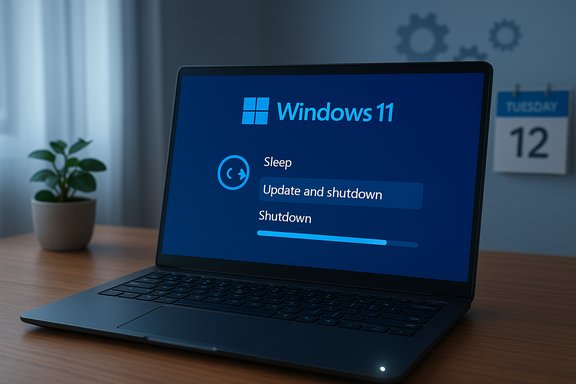
The Power menu has been refined to distinguish between shutdown/restart and update actions. Now users can turn off or restart their PC without being forced to install updates immediately.
Update-specific options are available separately. This separation provides clarity and prevents accidental update installations.
Improved Update Information
Microsoft is providing more detailed information about updates. Driver updates will now show categories such as audio, display, or battery.
This added transparency helps users understand what is being installed on their system.
Fewer Disruptions and Restarts
Microsoft is addressing the issue of frequent update-related restarts. Updates will now be combined to reduce the number of reboots.
Driver, .NET, and firmware updates will be aligned with the regular monthly update cycle. This change aims to streamline the update process and minimize interruptions.
Monthly updates include security fixes, urgent patches, and optional updates. All pending updates will appear under a single “Available updates” section.
What to Watch Next
Expect to see these update changes rolled out to Windows PCs over the coming weeks. Microsoft will likely continue to refine the update process based on user feedback.