
Minecraft Bedrock Beta 26.20.23/24: Download New Sulfur Cave & More!
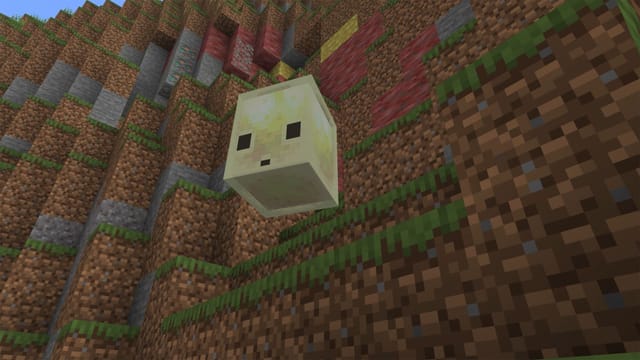
Minecraft Bedrock beta introduces Sulfur Cave and Sulfur Cube.
Top Summary
- What happened: Minecraft Bedrock 26.20.23/24 beta and preview have been released, featuring new content like the Sulfur Cave and Sulfur Cube.
- Why it matters: This beta allows players to test upcoming features and help Mojang identify and fix bugs before the stable release.
- What changes for people: Players can now experience the Sulfur Cave and Sulfur Cube early on various platforms including PC, Xbox, PlayStation, and mobile.
- Who is affected: Minecraft Bedrock players on Windows 10/11, Xbox One/Series X|S, PlayStation 4/5, Android, and iOS.
Dive into the Sulfur Update
The latest Minecraft Bedrock 26.20.23/24 beta and preview arrived on March 31, 2026. This release brings exciting additions, including the Sulfur Cave and Sulfur Cube.
Mojang uses beta and preview releases to gather feedback and squash bugs before the full launch. This ensures a smoother experience for everyone.
Download the Beta on Your Platform
The Minecraft Bedrock 26.20.23/24 beta is available across multiple platforms. Follow these steps to download and install it on your device.
PC (Windows 10/11)
To get the beta on PC:
- Open the Minecraft Launcher.
- Select Minecraft: Bedrock Edition from the left sidebar.
- Choose "Latest Preview" from the dropdown menu beside the Play button.
The launcher will automatically install the Bedrock 26.20.23/24 beta version.
Xbox One and Xbox Series X|S
Here's how to install the beta on your Xbox:
- Go to the Xbox Game Store or Game Pass Library.
- Search for "Minecraft Preview."
- Click the "Install" button.
The beta will then download and install on your Xbox.
PlayStation 4 and PlayStation 5
Follow these steps to get the beta on PlayStation:
- Find Minecraft on the homepage or in your game library.
- Navigate to the left sidebar and scroll down.
- Select the Preview option.
- Click "Get PlayStation 4/5 Preview" to download.
Pocket Edition (Android)
To download the beta on Android:
- Open the Google Play Store and search for Minecraft.
- Scroll down and find the Beta Program.
- Enroll in the beta program.
- Download the beta version.
Pocket Edition (iOS)
To download the Minecraft beta on iOS:
- Use the TestFlight app.
- Sign up for Minecraft's preview.
- Check your email for the beta version link.
- Download the beta. Be aware that the iOS beta is often full.
"We're excited for players to explore the Sulfur Cave and provide valuable feedback," says a Mojang spokesperson.
What to Watch Next
Stay tuned for further updates and bug fixes based on player feedback from the beta. Keep an eye out for the official release date of the stable version with the Sulfur Cave and Sulfur Cube.