
How To Download Minecraft Bedrock 26.30.27 Beta Version On PC, Xbox, PlayStation And Mobile
Fans of Minecraft can now test upcoming features early as Mojang has officially rolled out the Minecraft Bedrock 26.30.27 beta and preview update across multiple...
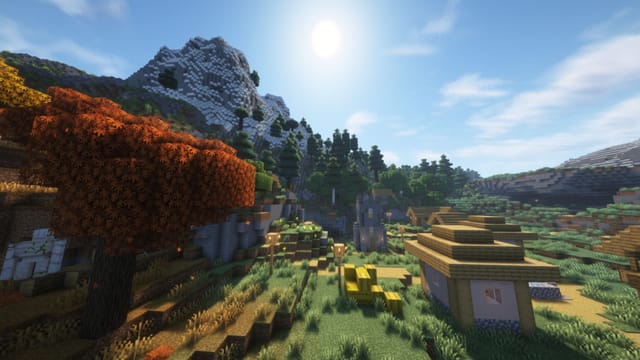
Fans of Minecraft can now test upcoming features early as Mojang has officially rolled out the Minecraft Bedrock 26.30.27 beta and preview update across multiple platforms.
Released on May 6, 2026, the latest beta introduces several bug fixes, gameplay adjustments and refinements to features added in previous preview builds. Players can access the update on PC, Xbox, PlayStation and mobile devices.
Top Summary
- What happened: Mojang released Minecraft Bedrock 26.30.27 beta and preview update.
- Why it matters now: Players can test upcoming Minecraft features before the official global release.
- What changes for people: Users get early access to gameplay tweaks, patches and experimental content.
- Who is affected: Minecraft Bedrock players on PC, Xbox, PlayStation, Android and iOS.
The Minecraft beta and preview system allows players to experience experimental content before it becomes part of the final stable version. It also helps developers gather community feedback and identify bugs ahead of full deployment.
The newest Bedrock beta is available on nearly all major gaming platforms, and the installation process remains relatively simple for existing Minecraft users.
How To Download Minecraft Bedrock 26.30.27 Beta On Windows PC
Players using Windows 10 or Windows 11 can install the preview directly through the Minecraft Launcher.
To download the beta:
- Open the Minecraft Launcher on your PC
- Select “Minecraft: Bedrock Edition”
- Click the drop-down option beside the Play button
- Choose “Latest Preview”
- The launcher will automatically install the beta version
Once installed, players can immediately access the preview build and test experimental features.
How To Install Minecraft Preview On Xbox
Xbox One and Xbox Series X|S users can download the beta through the Microsoft Store or Game Pass library.
Steps include:
- Open Xbox Store or Game Pass Library
- Search for “Minecraft Preview”
- Select the preview version
- Click Install
After installation, the preview build will appear separately from the standard Minecraft version.
How To Download Minecraft Bedrock Beta On PlayStation
PlayStation 4 and PlayStation 5 users can access the preview directly from the Minecraft game page.
To install:
- Open Minecraft from your PlayStation library or homepage
- Navigate through the left sidebar
- Locate the “Preview” option
- Select “Get PlayStation 4/5 Preview”
The beta build will then begin downloading on your console.
How To Get Minecraft Beta On Android And iPhone
Mobile players can also access the Minecraft Bedrock beta through platform-specific testing programs.
Android
Android users need to enroll through the Google Play Store beta program.
Steps include:
- Open Google Play Store
- Search for Minecraft
- Scroll down to the Beta Program section
- Join the beta testing program
- Download the updated beta version
iPhone And iPad
On iOS devices, the beta is available through Apple’s TestFlight platform.
Players must:
- Install the TestFlight app
- Sign up for Minecraft Preview testing
- Wait for beta slot availability
- Receive an invitation link through email
Since beta spaces are limited on iOS, not every player may gain instant access.
The latest beta update mainly focuses on gameplay stability improvements and fixes related to recently introduced mechanics. Mojang is expected to continue refining these systems before the next major Bedrock release arrives globally.
Bottom line
Minecraft Bedrock 26.30.27 beta gives players an early opportunity to explore upcoming features and gameplay fixes before they officially launch. The preview is now available across PC, consoles and mobile devices with relatively simple installation steps.
What to watch next
- New gameplay mechanics added in future beta updates
- Additional bug fixes before the stable release
- Community feedback on experimental features
- Mojang’s roadmap for upcoming Bedrock content
- Expansion of preview testing across platforms