
Samsung Makes Switching to Galaxy Easier with Upgraded Onboarding Tools
Samsung simplifies transitioning to Galaxy devices with interactive One UI simulations, faster Smart Switch data transfers, and cross-platform sharing capabilities.
Top Summary
- What happened: Samsung has streamlined its mobile onboarding process through interactive Try Galaxy simulations, enhanced Smart Switch transfers, and ecosystem-wide Quick Share tools.
- Why it matters: Switching smartphones historically felt like starting over, but simplified data migration makes it easier for consumers to transition to premium devices like the Galaxy S Ultra series.
- What changes for people: Users can now test Samsung's user interface virtually, transfer files wirelessly or via cable, and share media easily across Android, Windows, and iOS ecosystems.
- Who is affected: Prospective smartphone buyers, existing Android users, and iPhone owners considering a switch to Samsung Galaxy devices.
Test Drive One UI Before Making the Switch
Samsung is offering a web-based platform called Try Galaxy, allowing users to experience the One UI interface without buying a new device. The simulation lets users navigate, customize, and test core Galaxy features directly from their current phones to see how the system operates at their own pace.
To run the Try Galaxy simulation, users must have an active internet connection. The tool is compatible with supported Android smartphones running the latest Chrome or Samsung Internet browsers, and iPhone 8 or above running the latest Safari or Chrome browsers.
Accelerated Data Transfers with Smart Switch
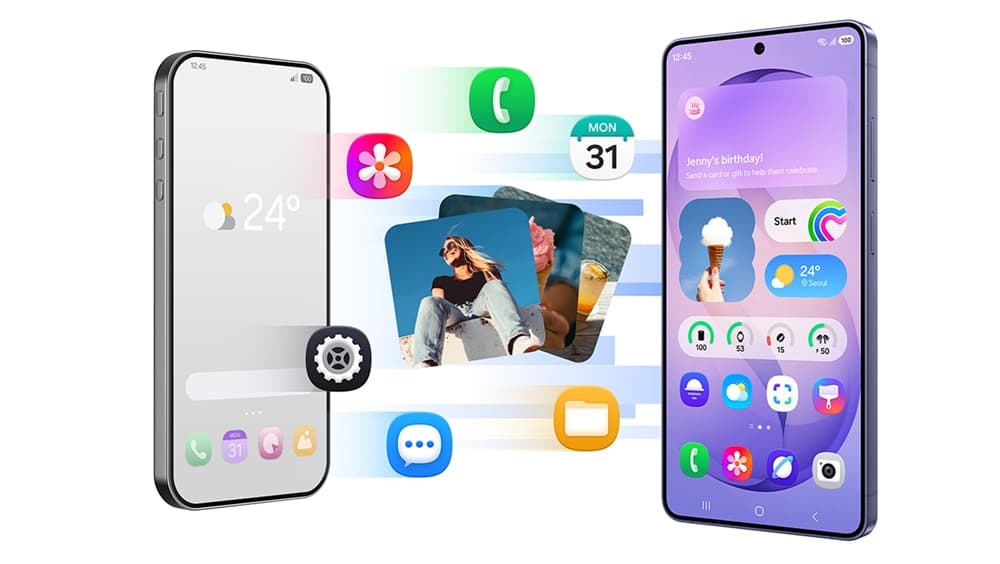
The upgraded Smart Switch application helps new users safely migrate contacts, photos, messages, apps, calendars, and device settings. Samsung has improved this experience to make it faster and simpler, guiding users through the setup step by step.
"The entire Galaxy onboarding experience is designed to be straightforward, so you don’t miss a beat."
While Samsung recommends using a wired cable connection when transferring diverse, large sets of data at once, users can also choose wireless transfers or cloud backups. Data migration requirements include:
- Android to Galaxy: Both the sending and receiving devices must run Android 6.0 or later for wired and wireless transfers.
- iOS to Galaxy via Cable: The receiving Galaxy device must run Android 6.0 or later, and the sending iPhone must run iOS 5 or later.
- iOS to Galaxy Wirelessly: Wireless transfers require the receiving device to have Android 6.0 or later and the sending iOS device to run iOS 12 or later. iCloud transfers require iOS 5 or later.
Seamless Ecosystem File Sharing with Quick Share
Once set up, Galaxy users can utilize the built-in Quick Share feature to send photos, videos, and files in full quality. Developed by Google, this feature works across Galaxy phones, tablets, and PCs, and now recognizes nearby Apple devices for AirDrop-capable sharing.
To utilize Quick Share, a Bluetooth connection is required. The service is available on Galaxy smartphones and tablets running Android OS version 10.0 (Q) and One UI 2.1 or above, as well as Galaxy Books released in 2020 or later.
What to Watch Next
As Samsung continues to refine its onboarding features, market watchers will observe how these migration tools influence adoption of the upcoming Galaxy S26 Series. Additionally, the ongoing collaboration with Google to maintain cross-ecosystem file sharing via Quick Share will remain a key area of development. Industry experts will also track whether these simplified transition steps successfully drive more consumers toward Samsung's premium Galaxy S Ultra product tier.